
Loop Campaign Framework from HubSpot: how to manage campaigns with AI

Resource guide / Campaign planning
Plan Your Next Campaign in 20 Minutes and Know Which Channel Worked
Twelve channels and one launch day give you one result. They do not tell you which channel caused it. HubSpot’s Loop Campaign Framework fixes the order of the work. The Loop Campaign Builder turns that framework into a plan you can download in about 20 minutes.
Source. HubSpot published the Loop Campaign Framework + Prompt Pack and updated it on 27 February 2026. HubSpot says that two team members, Kyle and Aja, built one of its most successful product launches on this framework. The stage names, the stage outputs, the three rules and the eight prompt names in this guide come from that page.
Free tool
Loop Campaign Builder
Fill in four stages. Get a campaign brief, a launch calendar, a metric map and eight AI prompts with your answers in place. The builder runs in your browser. You do not need an account.
Open the builderOne launch day gives you one result and no cause
A team picks a theme. The team books every channel. Everything goes live on the same Tuesday. Two weeks later, the numbers arrive, and nobody can say which part worked.
The Loop Campaign Framework prevents that result. It splits campaign planning into four stages. Each stage must produce one output. You do not start the next stage until you have that output.
HubSpot states three rules for the method:
- Framework beats creative chaos. Decide the structure first. Then make the creative.
- Sequencing beats simultaneous launch. Launch the channels one after another. Learn from each launch before the next one starts.
- Iteration beats perfection. Launch at 80 percent. Improve the campaign in week two.
Four stages, four outputs
Each stage ends with one thing that you can show to another person. If you cannot show it, the stage is not finished.
The four stages and the output of each stage
The builder gives each stage its own section, with its own questions and two prompts.
Output: a locked ICP definition and one primary pain point.
Output: one core message that your team can repeat without the brief.
Output: a channel plan with roles, a launch order and owners.
Output: a KPI map with thresholds that trigger changes during the campaign.
| Stage | What the builder asks | Answers |
|---|---|---|
| 1 | Who the buyer is. The size of their company. What changed for them in the last six months. The one pain point that matters most. The words they use for it. Where you hear those words. | 6 |
| 2 | Your category. Your brand voice. What competitors say now. What you believe that they do not say. Your core message. Your proof points. | 6 |
| 3 | The campaign goal. How many channels your team can run well. The campaign length. A channel table with one role, one launch week and one owner for each channel. | 4 |
| 4 | The budget. The day and owner of the weekly check. Metrics with the threshold that triggers a decision. The place where you log what broke. | 4 |
Stage names and outputs follow HubSpot’s Loop Campaign Framework page. The output wording is shortened. ICP means ideal customer profile. KPI means key performance indicator.
What the builder does that a worksheet cannot
A worksheet cannot tell you that a field is empty. The builder shows every empty field. It also shows which empty field costs you the most.
HubSpot’s worksheet is still a good choice for a team that plans together in one document. The builder is for one person who wants a finished plan and eight ready prompts in one sitting.
| Item | HubSpot worksheet | Loop Campaign Builder |
|---|---|---|
| Format | PDF, or a Google Doc that you copy | A web page with a live score out of 20 answers |
| Time | 45 to 60 minutes, by HubSpot’s estimate | About 20 minutes, if you know your buyer and your message |
| Prompts | Eight prompts that you copy and edit | Eight prompts with your answers already in place |
| Missing answers | You find them yourself | Each gap shows in yellow, and one list ranks every gap |
| Channel plan | You check it yourself | Five checks run while you type |
| Result | Your filled worksheet | One plan file that opens in any browser and prints to PDF |
Five checks that catch a weak channel plan
Pick four channels for a team that can run two well. The builder tells you to cut two. It runs five checks on the channel plan, and each check follows one of the framework’s rules.
- Too many channelsYou picked more channels than your team can run well. Cut channels, or add people first.
- A channel with no roleEach channel needs one role: awareness, message test, engagement or conversion. Give each channel one role.
- A channel with no ownerA channel with no named person does not launch on time. Name one person for each channel.
- Every launch in the same weekA single launch week breaks the sequencing rule. Stagger the launches.
- No message testNo channel tests the message before the slower channels go live. Test the message first on the fastest channel.
When the plan passes all five checks, the builder says so. The checks run again each time you change a row.
Your buyer description feeds six of the eight prompts
Leave the buyer field empty, and six prompts go out with a gap. For that reason, the builder ranks the missing answers by the number of prompts that each answer feeds.
Answers ranked by the number of prompts they feed
Fill the top five first. Together they feed every one of the eight prompts.
Bar colour shows the stage: teal for Stage 1, purple for Stage 2, orange for Stage 3. The six answers that feed two prompts are company size, customer phrases, proof points, brand voice, campaign goal and metrics.
The builder uses the eight prompt names from HubSpot’s pack. Each prompt pulls from the answers in the table below. HubSpot’s own prompt text is in the pack on its framework page.
| Stage | Prompt name | What it does | Answers used |
|---|---|---|---|
| 1 | Pain Point Sharpening | Questions your choice of pain point and gives three sharper versions. | 4 |
| 1 | Customer Language Extraction | Pulls repeated customer phrases out of transcripts and tickets. | 3 |
| 2 | Competitive Message Audit | Finds the claims that all competitors share, and the angles that nobody claims. | 4 |
| 2 | POV Pressure Test | Gives the strongest objections to your message and names the weakest proof point. | 5 |
| 3 | Channel-Role Mapping | Confirms one role for each channel and recommends a launch order. | 5 |
| 3 | Sequenced Rollout with Copy Variations | Writes copy for each channel in launch order and marks two A/B tests. | 6 |
| 4 | KPI Recommendation | Recommends leading and lagging metrics, with realistic ranges for your size and budget. | 6 |
| 4 | Iteration Scenario Planning | Turns week one numbers into changes, each with the number that triggers it. | 8 |
What goes in the downloaded plan
The download is one file. It opens in any browser, and you can print it to PDF for your team.
- Plan score and open gaps. The score out of 20, and each missing answer with the number of prompts it feeds.
- Campaign brief. Every answer from the four stages, with empty answers marked.
- Channel plan and launch calendar. Each channel with its week, role and owner, plus the result of the five checks.
- Metric map. Each metric with its phase, its threshold and the decision it triggers.
- Weekly check agenda. Five steps for a 30 minute meeting.
- What broke log. An empty table for the failures that you record during the campaign.
- Eight prompts. Each prompt with your answers in place. A word in square brackets marks a missing answer.
To get the download, enter a first name and an email address.
Where an agent does the work for you
The framework expects a person to run each stage with an AI assistant. An agent can do more. It can read your sources, watch your numbers and report on a schedule.
| Stage | Give the agent this job | What you get |
|---|---|---|
| 1 | Read this week’s call recordings and support tickets. Report if the primary pain point changed. | A weekly note. You see the drift before it costs you a campaign. |
| 2 | Check these competitor pages every Monday. Report only the changes. | A short change log. You run the POV Pressure Test again only when a competitor moves. |
| 3 | Watch these metrics against these thresholds. Raise a flag when a metric crosses one. | A decision every few days, with no person watching a dashboard. |
| 4 | Ask three AI answer engines to name vendors for our pain point. Then try to complete our conversion path. | Two facts: if answer engines name you, and if an agent can buy from you. |
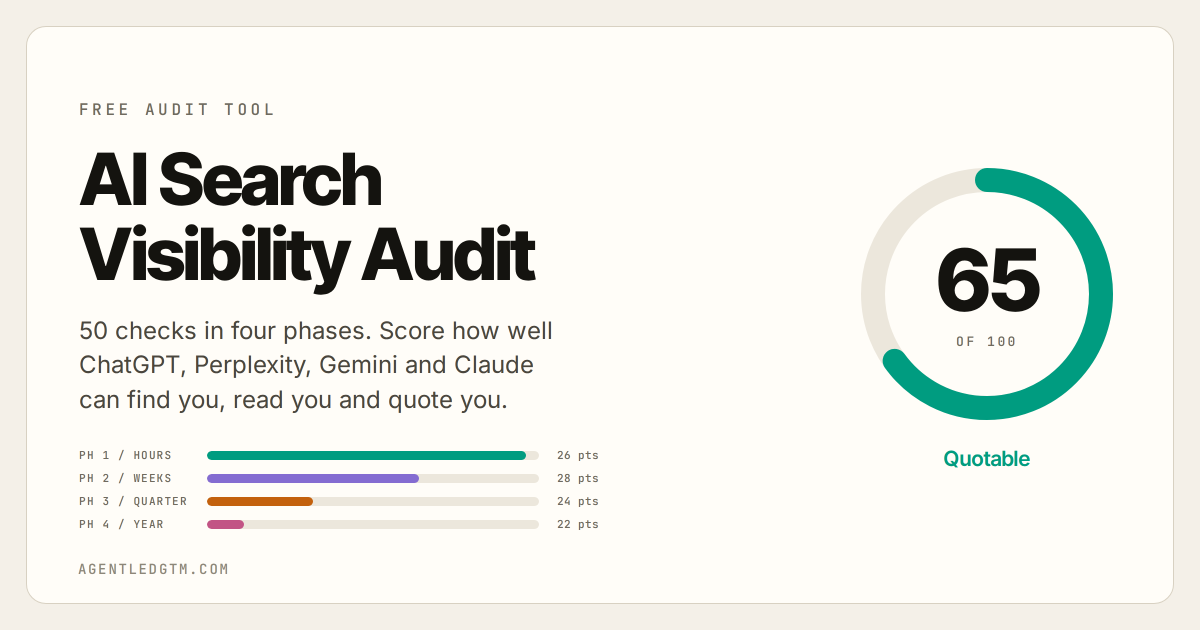
The Stage 4 job matters more each quarter. Buyers now research with AI answer engines. If an answer engine does not name you for the pain point from Stage 1, the campaign does not reach that buyer. The AI Search Visibility Audit shows what to fix first.
How the campaign fits inside Loop Marketing
The Loop Campaign Framework plans one campaign. Loop Marketing is the wider HubSpot method, and it runs as a cycle with four stages of its own.
- Express. HubSpot: “Define what to say, how to say it, and why it matters right now.”
- Tailor. Use AI to make each interaction personal.
- Amplify. Put the content across channels, for people and for answer engines.
- Evolve. Make changes in days, not quarters.
HubSpot also names three foundations to set up before the first loop: a customer guide, a style guide and a data layer with clean customer relationship management (CRM) data.
| Campaign stage | Loop Marketing stage | What carries across |
|---|---|---|
| 1. Audience + Core Pain Point | Express | The customer guide: buyer profile, pain point and customer language. |
| 2. Differentiated Positioning | Express | The style guide: core message, brand voice and proof points. |
| 3. Integrated Channel Strategy + Sequenced Rollout | Tailor and Amplify | Channel roles, copy variations and the launch order. |
| 4. Measurement + Iteration | Evolve | Thresholds, decisions and the what broke log. |
Loop Marketing stage names, definitions and foundations come from HubSpot. HubSpot does not publish this stage mapping. Read it as a guide, not as HubSpot’s position.
How to run the builder
You need one campaign in mind and about 20 minutes.
- Open the builder and name the campaign. The name goes on the plan and in the file name.
- Fill in Stage 1 first. Skip what you do not know. The builder marks each gap.
- Run the two prompts in each stage. Paste each prompt into Claude, ChatGPT or Gemini. Put the useful parts of the answer back into the fields.
- Clear every channel warning in Stage 3. Fix the roles and owners, then stagger the launch weeks.
- Work down the Fill these next list. Stop at 20 answers, or when the remaining gaps do not matter for this campaign.
- Download the plan. Book the weekly check before the first launch.
Free tool
Plan your next campaign in four stages
Twenty answers, five channel checks and eight prompts. Download the finished plan when you are done.
Open the Loop Campaign BuilderCommon questions
What is the Loop Campaign Framework?
The Loop Campaign Framework is a four-stage method from HubSpot for planning one campaign. The stages are Audience + Core Pain Point, Differentiated Positioning, Integrated Channel Strategy + Sequenced Rollout, and Measurement + Iteration. Each stage must produce one output before the next stage starts.
What are the four outputs?
Stage 1 produces a locked ideal customer profile with one primary pain point. Stage 2 produces one core message that the team can repeat. Stage 3 produces a channel plan with roles, a launch order and owners. Stage 4 produces a KPI map with thresholds that trigger changes during the campaign.
What does the Loop Campaign Builder add to HubSpot’s worksheet?
The builder puts your answers into the eight prompts for you. It marks every missing answer and ranks the gaps by the number of prompts each one feeds. It runs five checks on the channel plan. It gives you one plan file with a brief, a launch calendar, a metric map, a weekly check agenda and a what broke log.
How long does it take?
HubSpot estimates 45 to 60 minutes for its worksheet. The builder takes about 20 minutes if you already know your buyer and your message.
Why launch channels one at a time?
Each launch teaches you something. Launch the channel that returns data fastest first, and fix the message before the slower channels go live. One launch day for every channel gives you one result and no way to tell what caused it.
Is the builder free, and where do my answers go?
The builder is free. Your answers stay in your browser tab while you work. When you ask for the download, the form sends your first name, your email address and a short summary of the plan.
How is the framework different from Loop Marketing?
The Loop Campaign Framework plans one campaign. Loop Marketing is the wider HubSpot method that the campaign sits inside. Loop Marketing has four stages of its own: Express, Tailor, Amplify and Evolve.
Where do I get HubSpot’s original worksheet and prompts?
Use the resource library below. HubSpot publishes the worksheet as a PDF and as a Google Doc that you can copy. The eight prompts are on the same framework page.
Resource library
Every link below opens the original source.
From HubSpot
Loop Campaign Framework + Prompt Pack
The four stages, the eight prompts and the download links. Updated 27 February 2026.
Open the framework pageLoop Campaign Planning Worksheet
The fill-in worksheet, organized by stage. HubSpot estimates 45 to 60 minutes.
Download the PDFWorksheet, editable copy
Makes a copy in your Google Drive, so your team can fill it in together.
Make a copyWorksheet, read only view
The published version of the same worksheet, for reading only.
Open the published docLoop Marketing
HubSpot’s wider growth method: Express, Tailor, Amplify and Evolve.
Open the Loop Marketing pageLoop Marketing Prompt Library
A set of 100 prompts for the four Loop Marketing stages.
Open the prompt libraryThe Loop Marketing Landscape Report
HubSpot survey data on how marketers adopt Loop Marketing.
Open the report2026 State of Marketing Report
HubSpot’s annual report on how marketers use AI, brand point of view and Loop Marketing.
Open the reportTools on AgentLedGTM
Loop Campaign Builder
Four stages, twenty answers, five channel checks, eight prompts and a downloadable plan.
Open the builderAI Search Visibility Audit
Fifty checks that show if AI answer engines can find you, read you and quote you.
Run the auditSources. HubSpot, “Loop Campaign Framework + Prompt Pack”, updated 27 February 2026, for the stage names, the stage outputs, the three rules, the eight prompt names and the Kyle and Aja credit. HubSpot, “Loop Campaign Planning Worksheet”, for the 45 to 60 minute estimate. HubSpot, “Loop Marketing”, for the Express, Tailor, Amplify and Evolve definitions and the three foundations. The builder time of about 20 minutes is an estimate.
Responses